Optimize your trade show performance – digital lead capture directly at your booth
ALL, INTERACTION, EVENT, TRADE SHOW, PEAKBOARD HUB
This template provides a digital solution for structured lead capture at trade shows and events. It allows visitors to select products or solutions they are interested in directly at the booth and then conveniently enter their contact details. The intuitive and interactive interface simplifies the capture process while improving the quality of the collected leads.
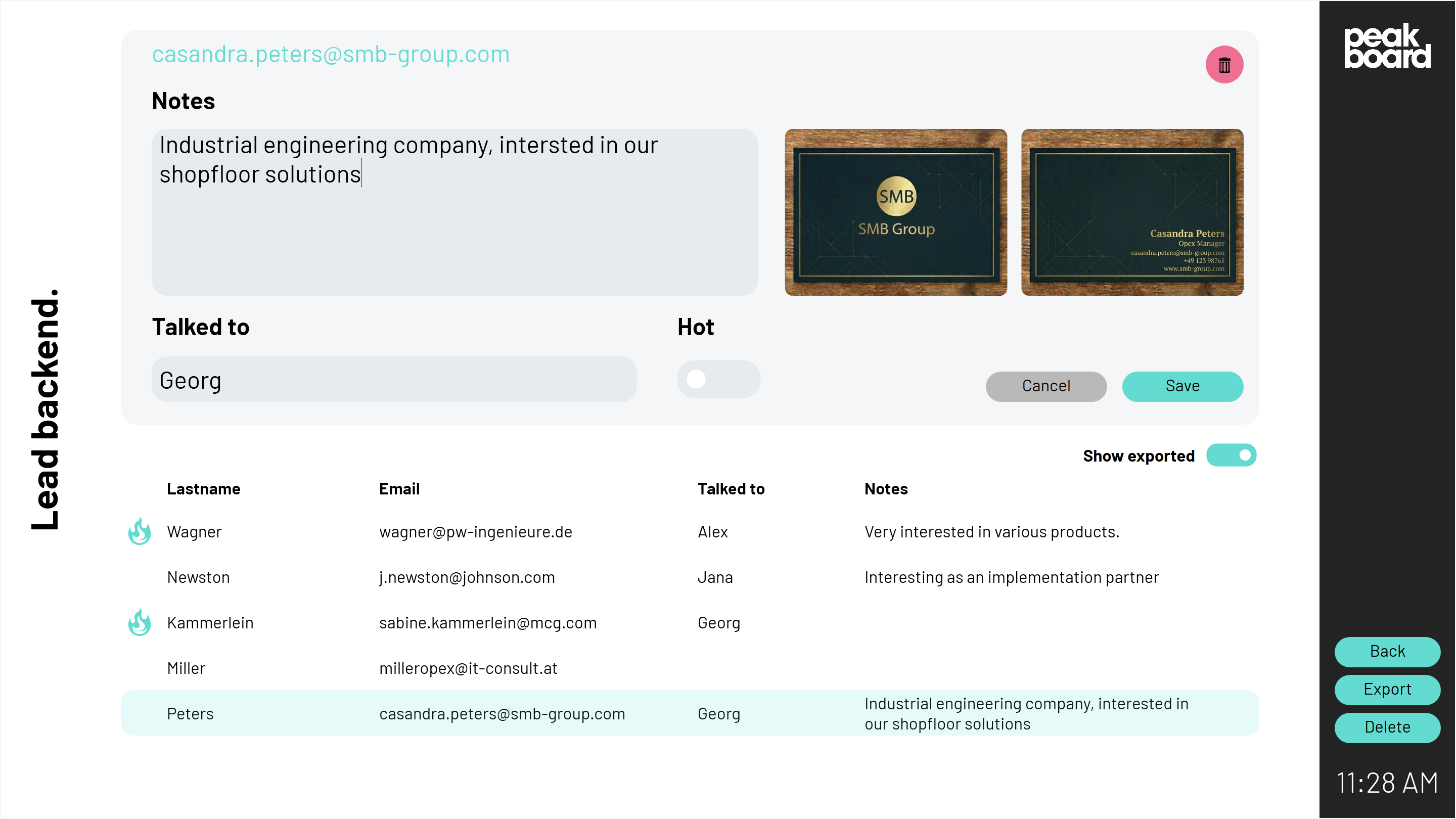
In addition, the application allows users to capture images of business cards and assign them directly to the respective contacts. This enables quick data collection without the need for manual data entry.
The application not only supports data capture but also enables initial lead qualification based on visitor interests. This allows sales teams to follow up with potential customers in a more targeted and efficient way. All collected data can be centrally stored in the Peakboard Hub. From there, leads can be easily integrated into existing CRM systems via API or CSV export.
The template is ideal for companies looking to digitize their lead capture processes at trade shows, eliminate media disruptions, and significantly improve their follow-up workflows.